- Aug 21, 2026
- Announcements
- 446
Share this post on:
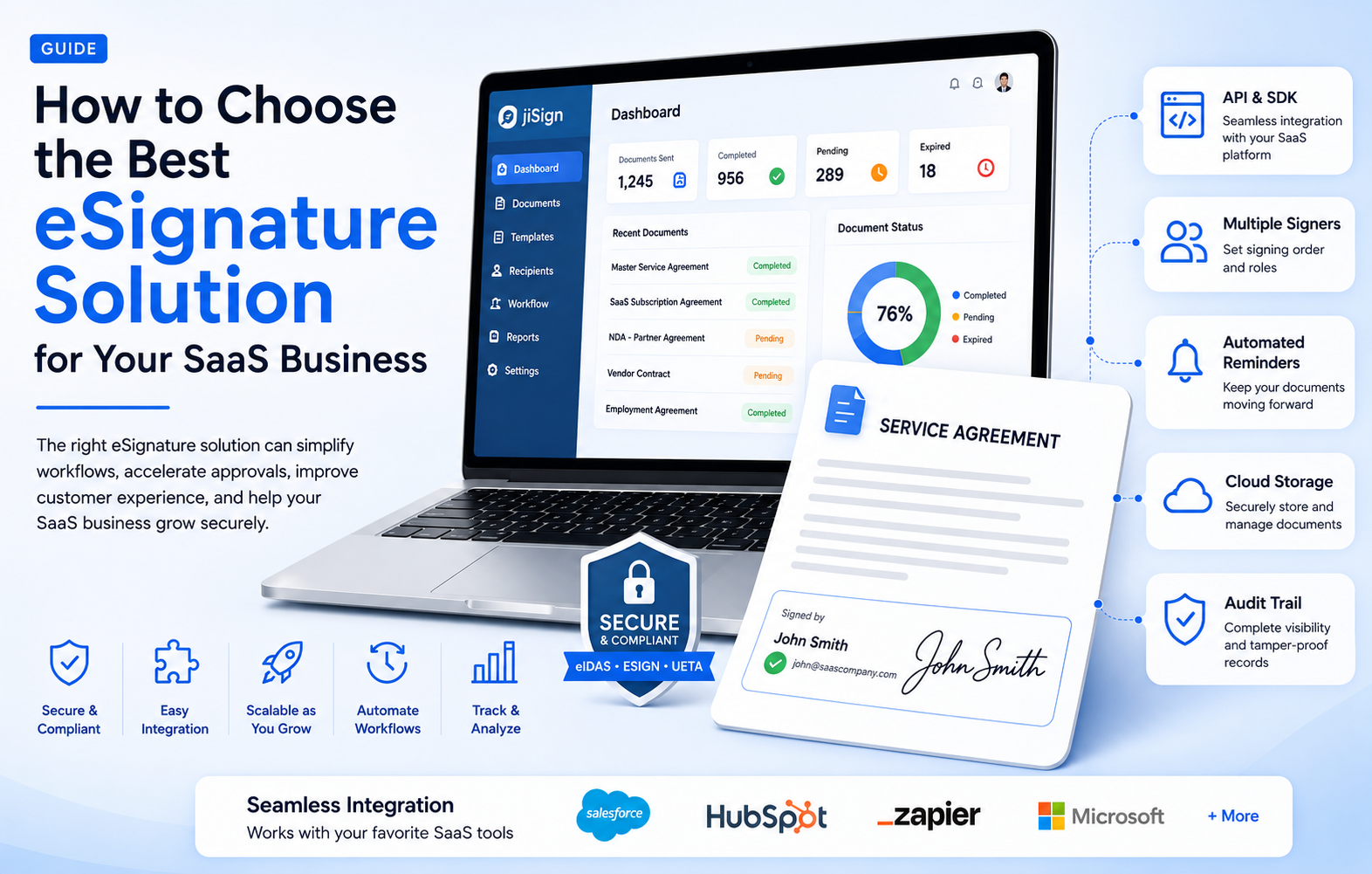
For modern SaaS companies, contracts, agreements, approvals, onboarding documents, and business forms are part of everyday operations. As customer expectations continue to shift toward faster and more convenient digital experiences, relying on paper-based signatures or disconnected document workflows can create unnecessary delays.
An effective electronic signature solution can help SaaS businesses simplify document management, accelerate approvals, improve customer experiences, and reduce administrative work. However, choosing the right solution requires more than selecting a tool that allows users to sign documents online. The right technology should fit naturally into your SaaS ecosystem, support your business processes, provide strong security, and scale as your organization grows.
At jiSign, we understand that SaaS businesses need more than basic signing functionality. They need a reliable digital workflow that can support customers, employees, partners, vendors, and internal teams from one centralized environment.
This guide explains what to look for when choosing the right eSignature for SaaS businesses, including the essential features, security considerations, integration capabilities, scalability requirements, and user experience factors that can make one solution a better fit than another.
Why SaaS Businesses Need eSignature Solutions
SaaS companies operate in an environment where speed and efficiency matter. Whether a customer is subscribing to a software platform, upgrading a plan, renewing a contract, or completing onboarding documents, every additional manual step can affect the overall experience.
Traditional signing processes often involve printing documents, manually signing them, scanning them, sending them by email, and waiting for the other party to complete the process. This can lead to delays, misplaced documents, repetitive administrative work, and limited visibility into the status of agreements.
Modern E-Signature Solutions replace many of these manual steps with digital workflows. Documents can be prepared, sent, signed, tracked, and stored electronically.
For SaaS businesses, this can be particularly valuable because digital signing can become part of the customer journey rather than a separate administrative activity.
For example, a SaaS company can use electronic signatures for:
- Customer subscription agreements
- Software licensing agreements
- Service-level agreements
- Vendor contracts
- Employee and HR documents
- Partner agreements
- Non-disclosure agreements
- Sales proposals
- Purchase agreements
- Customer onboarding documents
- Renewal and amendment documents
The goal is not simply to digitize signatures. The goal is to create a smoother document workflow that supports the entire business.
What Is an eSignature Solution?
An eSignature solution is a technology platform that allows individuals and organizations to electronically sign documents and manage associated workflows.
Modern e-signature software can provide much more than a digital signature field. Depending on the platform, businesses may be able to create templates, assign signing orders, send automated reminders, track document status, manage completed agreements, and connect signing workflows with other business applications.
For SaaS companies, this distinction is important.
A basic signing tool may solve a single problem: collecting a signature. A comprehensive platform can help solve a larger workflow challenge involving document preparation, collaboration, authentication, signing, tracking, storage, and integration.
Therefore, when evaluating solutions, SaaS businesses should look beyond the signature itself.
1. Start by Identifying Your Business Requirements
Before comparing different digital signature solutions, identify exactly how your organization intends to use the technology.
Different SaaS companies have different workflows. A startup may primarily need electronic signatures for sales contracts, while a growing enterprise SaaS company may need a solution that supports sales, HR, procurement, legal, customer success, and partner operations.
Ask questions such as:
- How many documents do we expect to send each month?
- Who will create and send documents?
- Who needs to sign them?
- Do documents require multiple signers?
- Do we need a specific signing order?
- Will customers sign directly inside our SaaS application?
- Do we need automated reminders?
- Do we need reusable templates?
- Which business applications need to integrate with the platform?
- What reporting and audit information do we require?
- How will our needs change as the company grows?
Answering these questions creates a practical checklist for evaluating providers.
2. Evaluate the User Experience
User experience should be a major consideration when choosing e-signature software.
A complicated signing process can negatively affect customer conversion and onboarding. If users have to navigate several unnecessary screens or create an account before completing a straightforward agreement, they may abandon the process or contact support.
A strong eSignature experience should be simple and intuitive.
Consider the entire journey:
- Document preparation
- Recipient notification
- Document access
- Identity or authentication steps
- Signature placement
- Confirmation
- Document completion
- Secure document delivery or storage
The experience should be easy for both internal teams and external recipients.
For SaaS businesses, this is particularly important because signing can be part of the customer's first interaction with the product. A smooth process can reinforce the perception that the SaaS company is modern, efficient, and easy to work with.
3. Look for Strong Integration Capabilities
Integration is one of the most important factors when choosing an eSignature for SaaS businesses.
A standalone signing application may require employees to manually upload documents, enter recipient information, monitor signing status, and transfer completed documents between systems.
That approach can reduce some paperwork but still leave businesses with fragmented processes.
An integrated solution can connect eSignature workflows with existing systems such as:
- CRM platforms
- Customer relationship management systems
- ERP platforms
- HR systems
- Cloud storage services
- Business workflow applications
- Customer portals
- SaaS applications
- Internal databases
For SaaS providers, API availability is especially important.
A well-designed API can allow a SaaS company to embed electronic signing capabilities into its own application. Instead of directing customers to a separate platform, the signing experience can become part of the existing product journey.
When evaluating integration capabilities, look at API documentation, SDK availability, authentication options, webhooks, integration flexibility, and developer support.
4. Consider Embedded eSignatures
Embedded signing can be a major advantage for SaaS businesses.
Rather than requiring customers to leave an application to complete an agreement, embedded eSignature functionality can allow signing to happen within the SaaS product or customer portal.
This can reduce friction and create a more consistent customer experience.
For example, imagine a SaaS platform that requires a customer to sign an agreement before activating a new service. With an integrated signing workflow, the customer could review and sign the agreement directly within the application.
This approach can help SaaS businesses connect contracts with product workflows.
It can also support use cases such as customer onboarding, account upgrades, subscription agreements, partner registration, and service activation.
5. Prioritize Security and Compliance
Security should never be treated as an optional feature when selecting digital signature solutions.
Documents handled by SaaS businesses can contain sensitive customer, financial, legal, employee, and business information. A signing platform should therefore provide appropriate security controls to protect documents throughout their lifecycle.
When evaluating providers, consider features such as:
- Encryption
- Secure authentication
- Access controls
- Audit trails
- Document integrity protection
- Activity tracking
- Tamper detection
- Secure document storage
- Administrative controls
- Data protection practices
Compliance requirements can vary depending on your industry, location, customers, and document types. SaaS companies should therefore assess whether the provider's security and compliance capabilities align with their specific requirements.
A reliable audit trail is especially valuable. It can provide a record of relevant signing activities, helping organizations understand when documents were accessed, signed, and completed.
6. Examine Authentication and Signer Verification
Not every document requires the same level of signer verification.
Some agreements may require a simple electronic signature process, while more sensitive documents may require stronger authentication.
When comparing E-Signature Solutions, examine the authentication options available.
Depending on the use case, these may include email-based verification, access codes, identity verification, or other authentication mechanisms.
The key is flexibility.
A solution should allow businesses to select an appropriate level of verification without unnecessarily complicating routine signing processes.
SaaS companies should consider both security and convenience when determining how signers will be authenticated.
7. Look for Workflow Automation
One of the biggest advantages of modern e-signature software is workflow automation.
Without automation, employees may need to manually monitor every document and remind recipients to sign. This becomes increasingly difficult as document volume increases.
Automation can help manage repetitive activities.
For example, a workflow might automatically:
- Send a document to the first signer
- Notify the next signer after completion
- Send reminders when signatures are pending
- Update document status
- Notify internal teams when an agreement is completed
- Trigger another business workflow
- Store completed documents
Automation allows teams to spend less time managing routine administrative tasks and more time focusing on customers and strategic activities.
For SaaS businesses operating at scale, this can make a significant difference.
8. Assess Templates and Document Management
Templates can save considerable time for SaaS organizations that repeatedly use similar documents.
Sales teams, HR departments, legal teams, and customer success teams may frequently send the same types of agreements.
A good digital signature platform should make it easy to create reusable templates while maintaining appropriate controls over who can access and use them.
Document management capabilities should also be considered.
Look for features that help teams:
- Organize documents
- Search for agreements
- Track document status
- Access completed documents
- Manage templates
- Control permissions
- Maintain records
Centralized management can reduce the risk of documents becoming scattered across email inboxes, shared folders, and individual computers.
9. Check Scalability and Performance
A solution that works for a small SaaS company may not necessarily meet the needs of a rapidly growing organization.
As your customer base, employee count, transaction volume, and geographic reach increase, your eSignature requirements may also grow.
When assessing scalability, consider:
- Document volume limits
- Number of users
- API usage
- Concurrent workflows
- Performance
- Administrative controls
- Multi-team support
- Enterprise capabilities
- Geographic availability
The best all-in-one digital signature solution should be capable of growing alongside your organization rather than forcing you to migrate to another platform later.
Scalability should also include operational flexibility. Your business may start with one department using the platform and eventually expand it across sales, legal, HR, procurement, finance, and customer operations.
10. Evaluate Administrative Controls
As more teams begin using a digital signing platform, administrative management becomes increasingly important.
Organizations should have the ability to manage users, roles, permissions, templates, workflows, and access policies according to their operational requirements.
For larger SaaS organizations, role-based access can help ensure that users only access the information and functionality they need.
Administrative reporting can also provide valuable visibility into signing activity.
Before selecting a digital signature platform, determine whether it offers the administrative capabilities necessary for your organization's structure.
11. Review Analytics and Reporting
A modern eSignature solution should provide visibility into document workflows.
Reporting can help organizations understand:
- How many documents have been sent
- How many are pending
- Which agreements require attention
- How long documents take to complete
- Which workflows are most active
- Where signing delays occur
This information can help SaaS companies identify bottlenecks.
For example, if customer agreements consistently remain unsigned for several days, the business can investigate whether the issue is related to the document, signing process, communication, or customer onboarding workflow.
Data-driven visibility can therefore help organizations continuously improve their processes.
12. Consider Pricing and Total Cost of Ownership
Price is an important consideration, but SaaS businesses should avoid evaluating providers based only on the advertised subscription cost.
The total cost of an eSignature solution can include:
- Subscription fees
- User licenses
- Transaction charges
- API usage
- Integration costs
- Implementation expenses
- Training
- Support
- Storage
- Additional security or enterprise features
A low-cost solution may become expensive if it requires significant manual work or extensive customization.
Conversely, a more comprehensive solution may provide greater long-term value if it reduces administrative work, accelerates customer onboarding, and integrates effectively with existing systems.
The best choice is therefore the platform that provides the right combination of functionality, security, usability, scalability, and cost.
13. Assess Customer Support and Reliability
Technology is only valuable when it works reliably.
Before selecting a provider, evaluate its customer support model and service reliability.
Consider:
- Support availability
- Response times
- Technical documentation
- Developer resources
- Onboarding assistance
- Troubleshooting processes
- Platform reliability
- Service commitments
For SaaS businesses, reliable support can be especially important when electronic signing becomes part of a customer-facing workflow.
If a signing process is integrated into customer onboarding or account activation, technical problems can potentially affect the broader customer experience.
14. Compare Solutions Using a Practical Evaluation Framework
Once you have identified several potential providers, create a comparison framework.
Instead of evaluating each solution based on marketing claims alone, assign importance to specific criteria.
For example:
Evaluation Criteria | Importance |
|---|---|
Security | Very High |
Integration/API | Very High |
User Experience | Very High |
Scalability | High |
Workflow Automation | High |
Templates | High |
Reporting | Medium |
Administration | High |
Customer Support | High |
Pricing | High |
Your organization can then score each solution against these criteria.
This approach helps decision-makers focus on actual business requirements rather than selecting a platform simply because it has the largest feature list.
15. Test the Solution Before Making a Decision
A product demonstration can provide useful information, but hands-on testing is even more valuable.
Before adopting a digital signature platform, test realistic workflows.
For example, create a sample customer agreement and evaluate the complete process from document creation to final signing.
Test:
- Sending documents
- Multiple signers
- Signing order
- Authentication
- Notifications
- Reminders
- Mobile signing
- Templates
- API integration
- Completed document management
- Audit trails
- Administrative controls
Testing with real-world scenarios can reveal workflow limitations that may not be obvious during a standard product presentation.
Common Mistakes to Avoid When Choosing eSignature Software
Choosing an eSignature platform can become challenging when businesses focus on individual features instead of the complete workflow.
One common mistake is selecting the cheapest solution without considering integration and scalability.
Another is choosing a platform that works well for internal documents but does not provide the embedded capabilities required for a customer-facing SaaS application.
Businesses may also overlook security, authentication, audit trails, and administrative controls.
Finally, organizations sometimes underestimate the importance of user experience. A technically capable platform can still create problems if customers find the signing process confusing or inconvenient.
The right approach is to evaluate the complete business journey.
Why an All-in-One Approach Can Benefit SaaS Businesses
An all-in-one digital signature solution can bring document signing, workflow management, automation, tracking, and related capabilities together within one environment.
This can reduce the need to maintain multiple disconnected tools.
For SaaS businesses, centralization can make processes easier to manage while creating a more consistent experience for employees and customers.
Instead of treating eSignatures as an isolated function, businesses can incorporate signing into broader digital workflows.
That is particularly useful when contracts and approvals are directly connected to sales, onboarding, procurement, HR, or account management.
The Future of eSignatures for SaaS Companies
As SaaS businesses continue to digitize their operations, electronic signatures are becoming increasingly connected to broader workflow automation.
The future of eSignature technology is not simply about replacing handwritten signatures. It is about creating intelligent, connected document processes.
SaaS businesses will increasingly look for solutions that can integrate with their applications, automate repetitive activities, provide better visibility, and deliver secure signing experiences across devices.
This means the ideal solution should be flexible enough to support today's requirements while providing a foundation for future digital workflows.
Conclusion
Choosing the right eSignature for SaaS businesses requires a comprehensive evaluation of security, user experience, integrations, automation, scalability, administration, reporting, and cost.
The right solution should do more than collect signatures. It should help your organization create faster document workflows, reduce administrative effort, improve customer experiences, and connect signing processes with the systems your business already uses.
At jiSign, we believe electronic signatures should be a natural part of the modern SaaS experience. Our approach focuses on helping businesses simplify digital signing while supporting secure, efficient, and connected workflows.
Whether your organization is looking for reliable E-Signature Solutions, flexible e-signature software, scalable digital signature solutions, or a comprehensive all-in-one digital signature solution, choosing technology that aligns with your business processes is essential.
With the right digital signature platform, SaaS businesses can move beyond manual document processes and build a faster, more streamlined digital experience for customers, employees, and partners.
At jiSign, we are committed to making digital signing simpler, more connected, and better suited to the evolving needs of modern SaaS businesses.